CitoCAD
CAD speedruns
Press START and the drawing unseals. Model the part in your CAD program, enter its mass, and the server stops the clock when it is right. Your first run at a challenge is ranked, and the boards are split by CAD program.

First run: finding the mass
Every challenge gives its material in the title block. Give your part that material, then read its mass in grams. In SolidWorks:
-
Step 1 · Material
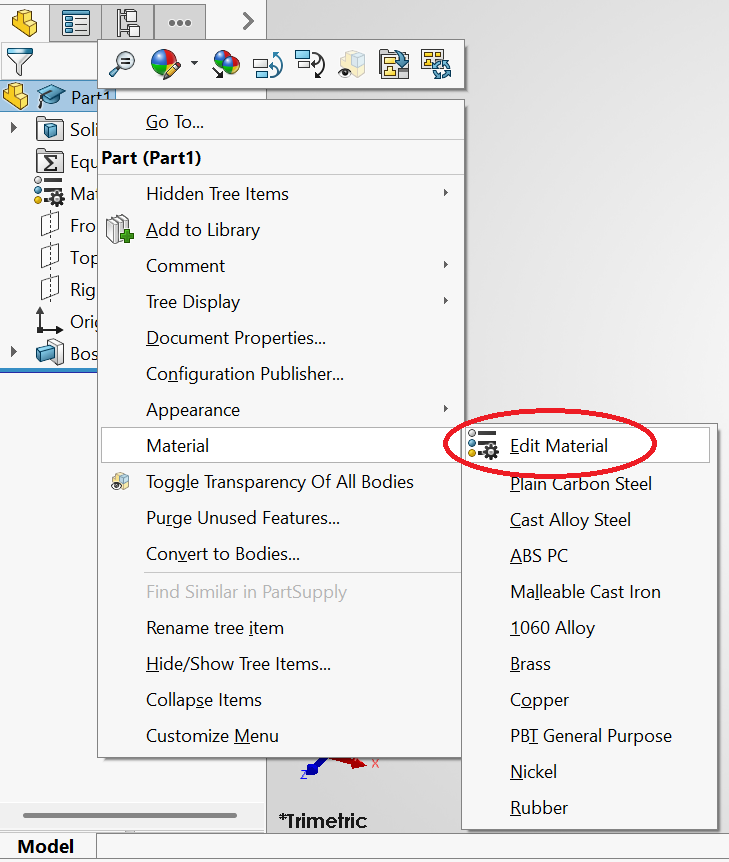
Right-click the part at the top of the FeatureManager tree, then Material › Edit Material.
-
Step 2 · Pick it
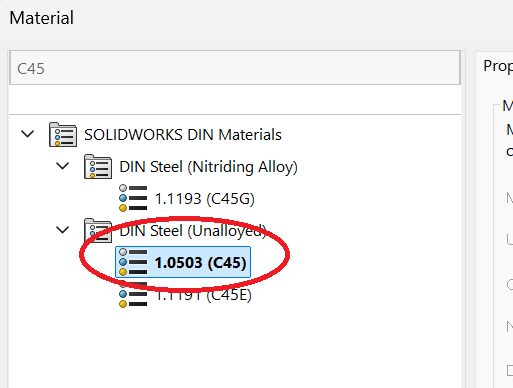
Search for it, pick it and Apply. AL 6061 is 6061 Alloy, Brass CW614N is Brass, and C45 is 1.0503 (C45) under DIN Steel (Unalloyed).
-
Step 3 · Mass Properties
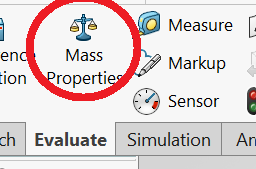
On the Evaluate tab, click Mass Properties.
-
Step 4 · The mass
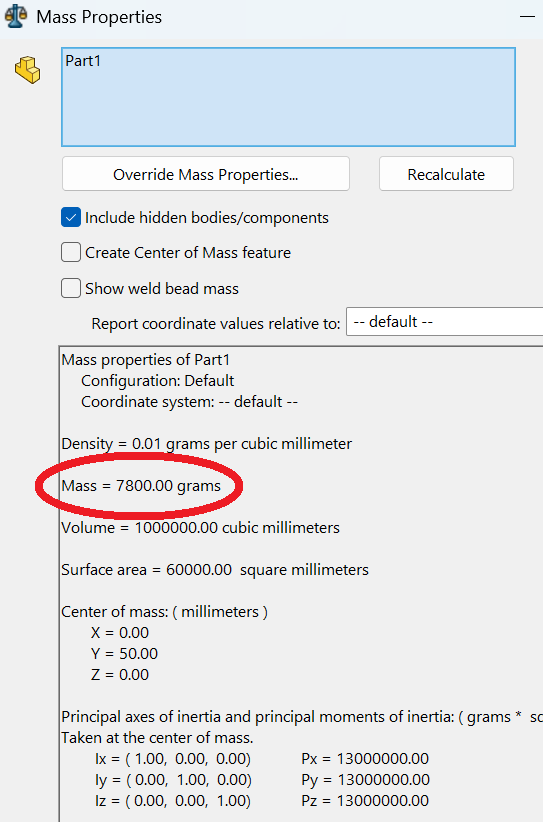
Enter the Mass line, in grams.
Newest challenges
-
 033
033
Tangent Arc Plate
Record —
■□□□□
0 runs -
 032
032
Ball Stud
Record —
■■□□□
0 runs -
 031
031
Mooring Cone
Record —
■■■■□
0 runs -
 030
030
Spoked Hub
Record —
■■■□□
0 runs -
 029
029
Angled Nozzle
Record —
■■■■■
0 runs -
 028
028
Cold Chisel
Record —
■■■■□
0 runs -
 027
027
Square-to-Round Hopper
Record —
■■■□□
0 runs -
 026
026
Eccentric Reducer
Record —
■■□□□
0 runs
Latest records
No records yet. The first clear sets one.
Rank your runs
Every challenge is free to play as a guest. An account puts your first run on the boards and keeps your times, records and personal bests.