Help
How it works
A run
Open a challenge and press START. The drawing unseals, and the clock starts when the server sends it. Model the part in any CAD program, give it the material in the title block, and enter its mass in grams. The clock stops when the server accepts the mass.
The time is the server's: your browser only shows it. A wrong mass says "Not it", counts as a wrong guess, and the clock keeps running. One guess a second. A point or a comma both work as the decimal mark, and a trailing "g" is fine.
Ranked and practice
Your first run at a challenge is ranked and goes on its ranked board. Every run after it is practice: it goes on the practice board and your personal best. Leaving a ranked run unfinished doesn't give it back.
The boards are split by CAD program. A ranked run in a board's top three is asked for a video of the run.
Without an account you can play every challenge, but a guest's run is always practice and no board keeps it. Create an account to rank and track your runs.
Finding the mass
Every challenge gives its material in the title block. Give your part that material, then read its mass in grams. In SolidWorks:
-
Step 1 · Material
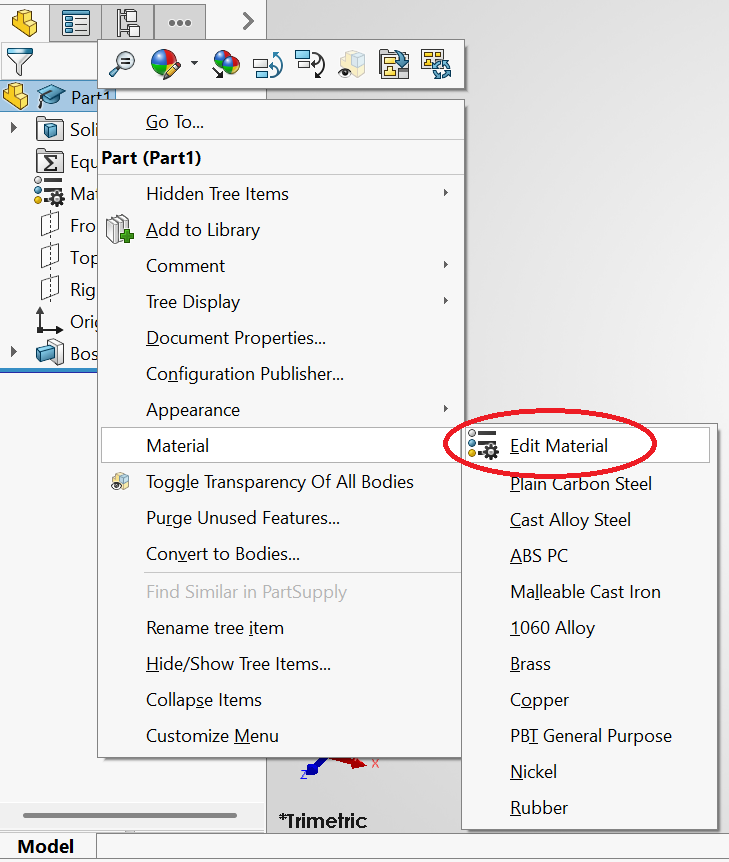
Right-click the part at the top of the FeatureManager tree, then Material › Edit Material.
-
Step 2 · Pick it
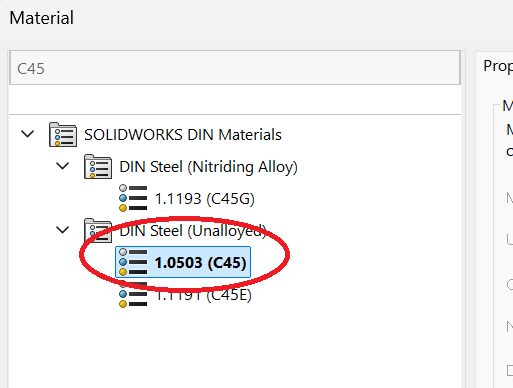
Search for it, pick it and Apply. AL 6061 is 6061 Alloy, Brass CW614N is Brass, and C45 is 1.0503 (C45) under DIN Steel (Unalloyed).
-
Step 3 · Mass Properties
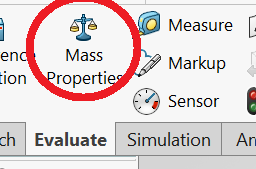
On the Evaluate tab, click Mass Properties.
-
Step 4 · The mass
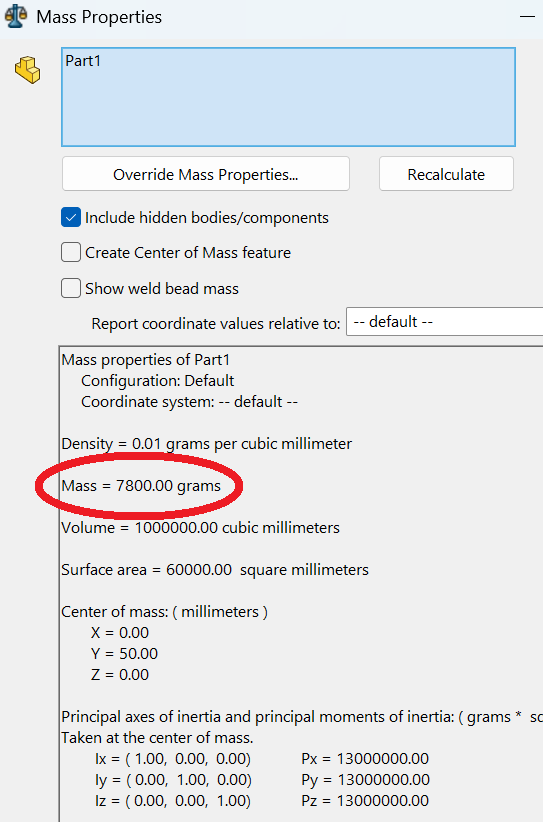
Enter the Mass line, in grams.
In any other CAD program, give the part the density shown in the title block, in g/cm³, and read its mass in grams.